Party-Finder
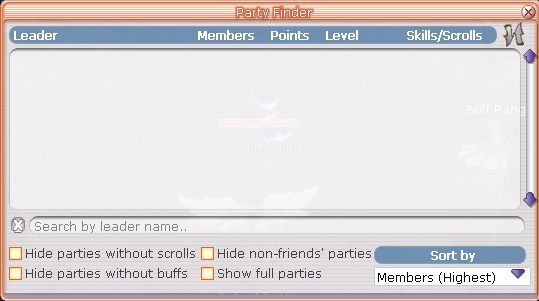
In Cerberus Flyff, finding a party is essential for leveling up, completing dungeons, or just enjoying group activities with friends. The Party Finder system makes it easy to connect with other players who are looking for party members. Whether you’re new to the game or just want a quick and simple way to join a party, this guide will walk you through how to use the Party Finder effectively.
How to Use the Party Finder
Access the Party Finder:
Go to Start > Custom > Party-Finder in the menu, or simply press the hotkey "L" to open the Party Finder window.
View Cerberus Parties:
A list of available parties will appear on the screen. These are parties that are currently looking for members.
Join a Party:
Browse the list and find the party you’d like to join. Once you’ve found a suitable one, click on the party name to select it, then click Join to become a part of the group.
Last updated